Document Restoration
Lift stains, mend tears and revive faded ink in seconds. Get a clean, archival-quality copy while your original stays untouched.
- Stains & spots
- Tears & missing paper
- Faded ink
Original never overwritten First restoration free
Damage Types
Stains, tears, fading, foxing & more
Restoration Fidelity
Faithful to the original document
Archival Output
High-resolution enhanced masters
Per Page
From damaged scan to clean result
Give damaged documents a second life
Time is unkind to paper. Ink fades, edges tear, water leaves rings, and mold leaves spots - until the words become hard, or impossible, to read.
Scripily rebuilds the page. It maps every kind of damage, reconstructs what's missing from surrounding context, and revives faded ink - all while keeping your untouched original safe. The result is a clean, high-resolution master you can read, print, and preserve.
Drag to compare - the same page, before and after restoration.
The damage we repair
Six of the most common ways documents deteriorate - all handled by one engine.
Stains & Water Damage
Coffee rings, water marks, and ink blots lifted away without erasing the text beneath.
Tears & Missing Pieces
Torn edges and lost fragments are reconstructed using context-aware generative inpainting.
Faded & Weak Ink
Barely-visible writing is revived and darkened while the paper tone stays natural.
Foxing & Spotting
Age spots, mold specks, and rust marks are cleaned from the page surface.
Bleed-through
Text ghosting from the reverse side is suppressed so only the front remains.
Creases & Folds
Fold lines, wrinkles, and shadows are flattened for a smooth, even page.
See the difference on real documents
Three very different kinds of damage, one restoration engine. Pick a document and drag to compare.
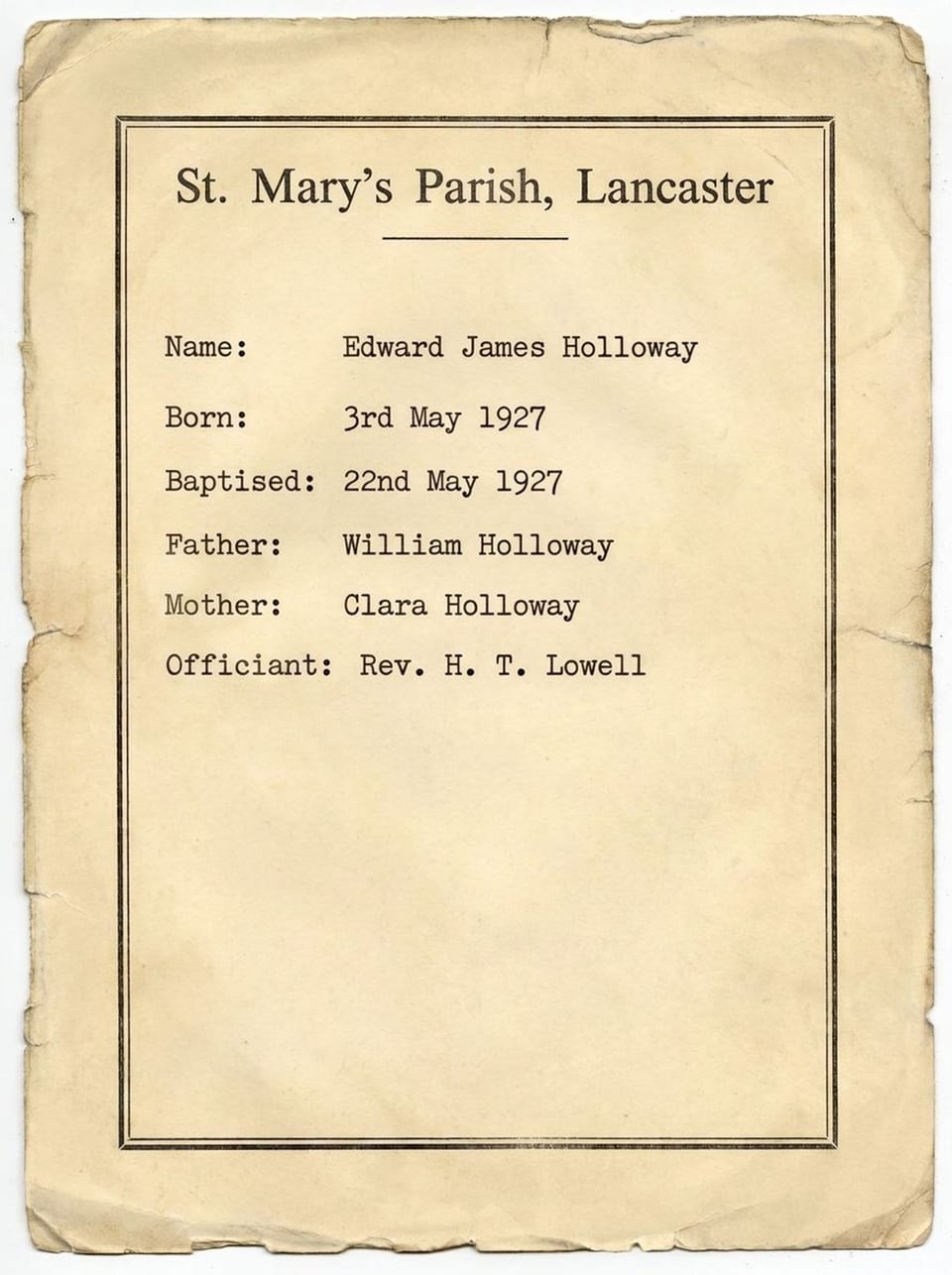
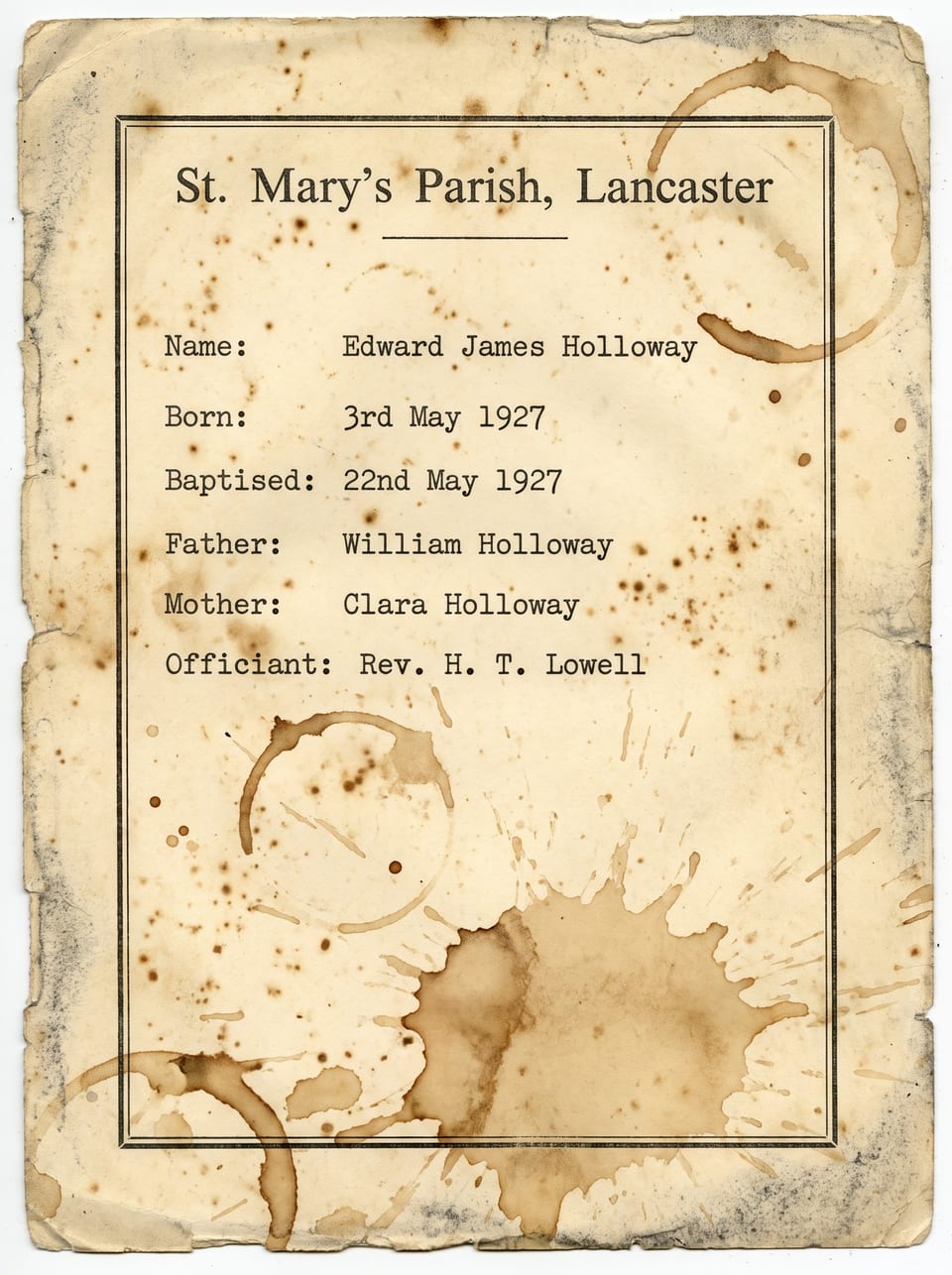
Baptism Record, 1927
A parish baptism record soaked by coffee and speckled with foxing. Every ring and splash is lifted while the typed entries and printed border stay crisp and untouched.
Drag the handle to compare the original scan with the restored master.
How restoration works
Four steps from a fragile, damaged scan to a clean archival master.
Analyze & Map Damage
The page is scanned for every defect - stains, tears, fading, foxing, and bleed-through are located and classified.
Reconstruct Missing Areas
Generative inpainting rebuilds lost regions and torn edges, matching surrounding strokes, texture, and paper tone.
Revive Ink & Enhance
Contrast, sharpness, and resolution are lifted so faded writing becomes crisp and legible again.
Deliver Archival Master
You get a clean, high-resolution file - with the untouched original always preserved alongside it.
One restoration, the look you need
Keep the character of an old page, or push for a crisp archival scan. Switch styles to preview each finish.
Why not just use a photo editor?
Manual retouching takes hours per page, and generic filters damage the text along with the stains.
| Scripily Restoration | Manual retouching | Basic auto-filters | |
|---|---|---|---|
| Time per page | Seconds | 1-4 hours | Seconds |
| Removes stains without erasing text | |||
| Rebuilds tears & missing paper | |||
| Revives faded ink | Partly | ||
| Consistent across thousands of pages | |||
| Original kept & edits flagged |
Who restores with Scripily
From national archives to a single treasured letter in a drawer.
Museums & Archives
Preserve fragile collections and share clean digital surrogates without handling the originals.
Genealogy & Family History
Bring faded certificates, letters, and family records back to readable, shareable life.
Legal & Land Records
Recover deeds, wills, and registers where stains or wear have obscured critical details.
Libraries & Rare Books
Digitally repair brittle pages and marginalia for study without further wear.
Insurance & Claims
Make water- or fire-damaged paperwork legible again for processing and audits.
Personal Keepsakes
Restore heirloom documents, diaries, and postcards for framing or reprinting.
From damaged page to searchable text
Restoration is often step one. Carry the clean page straight into reading, transcribing and translating it.
Upload
JPEG, PNG, TIFF or multi-page PDF scans and phone photos.
Restore
Stains, tears and fading repaired into a clean master.
Read
OCR and handwriting recognition on the restored page.
Translate & export
Searchable PDF, Word, plain text, or 100+ languages.
Formats in, archival masters out
Bring whatever you have - a flatbed scan, a museum TIFF, or a quick phone photo.
- JPEG / PNG
- TIFF (8 & 16-bit)
- Multi-page PDF
- Phone photos
- Lossless TIFF master
- High-res PNG
- Print-ready PDF
- Searchable PDF
Private by default
Family records and archival collections deserve care. Your documents stay yours.
- Encrypted in transit and at rest
- Never used to train public models
- Delete your files at any time
- Originals stored untouched beside every result
100% non-destructive by design
Every restoration keeps your original file untouched. Reconstructed regions can be flagged for transparency, so scholars and archivists always know exactly what was cleaned versus what was inferred.
Frequently asked questions
Everything about restoring damaged documents.
No. Restoration is non-destructive and evidence-preserving: it cleans damage and revives what is already there. Where content is genuinely missing, reconstructed areas are generated from surrounding context and can be flagged, and the untouched original is always kept alongside the restored master.
Restore your first document free
Upload a damaged page and watch stains, tears, and fading disappear - with your original always kept safe.
Non-destructive
Originals are never overwritten
Fast Batch
Whole archives at once
Archival Export
High-res TIFF, PNG & PDF